ExpressVPN: VPN Fast & Secure
- 4.6
- Rating
- 100.00M
- Installs
- Free
- Price

 Analysis by App-foxy
I usually judge a VPN by what happens after the first tap: Can I connect without puzzling over settings, recover when a connection behaves oddly, and understand when the VPN is actually responsible for a problem? ExpressVPN: VPN Fast & Secure makes a strong first impression because it focuses on a straightforward private connection rather than turning the app into a networking lesson. In my experience, that simplicity is its biggest strength, but it also means some users may need to look a little deeper when a website, streaming service, or app does not behave normally.
This is a free tools app from ExpressVPN, with optional in-app purchases ranging from $9.99 to $116.99 per item. It has been available since January 6, 2012, and the current Android version is 12.51.0 for devices running Android 7.0 or later. The age rating is Everyone, so the basic audience is broad. What matters more to me is whether the app feels dependable in ordinary situations: using public Wi-Fi, changing my apparent IP address, or keeping a connection private while moving between networks.
Getting past the points where VPN users commonly get stuck
The first obstacle with any VPN is not usually the connection button. It is the permission and expectation gap around it. A VPN needs the operating system to approve a VPN connection, and Android may display a system prompt that looks more serious than it really is. I would not treat that prompt as an error. It is the normal point where the phone asks whether the app may create the connection.
You May Also Like

 Blood Strike: 2.5 Anniversary
Blood Strike’s Loadouts Turn Every Drop Into a Tactical Gamble
A close look at Blood Strike’s custom loadouts: how fast access to signature weapons reshapes its battle royale rhythm, rewards preparation, and narrows the gap between fights.

 Pandora - Music & Podcasts
Pandora’s Music Is Easy to Start, but Harder to Recover
Pandora’s strength is its low-effort path from a seed to a station. Its weak spot is how much confidence it asks you to place in connection, setup, and quiet recovery.

 8 Ball Pool
 Is Built on Rivalries, Rematches, and Routine
A close look at the rivalries, rematches, shared routines, and unanswered safety questions that turn a quick pool match into a persistent mobile community.

 Samsung Music
’s Quiet Strength Is Playing What You Already Own
Its reach comes less from spectacle than from dependable access to a personal library. That simplicity is both the app’s strongest retention engine and its ceiling.

 AccuWeather: Weather Radar
AccuWeather Review: A Quick, Clear Forecast for Everyday Decisions
For everyday plans, the best forecast is the one you can understand quickly. AccuWeather makes rain timing, radar, and local conditions easy to act on, with a few trade-offs.

 Hill Climb Racing
Why Hill Climb Racing Still Turns Crashes Into One More Run
A tiny car, a bumpy hill and one more upgrade: Hill Climb Racing keeps resurfacing because its simple chaos makes every near-miss feel personal.
More From Our News Desk



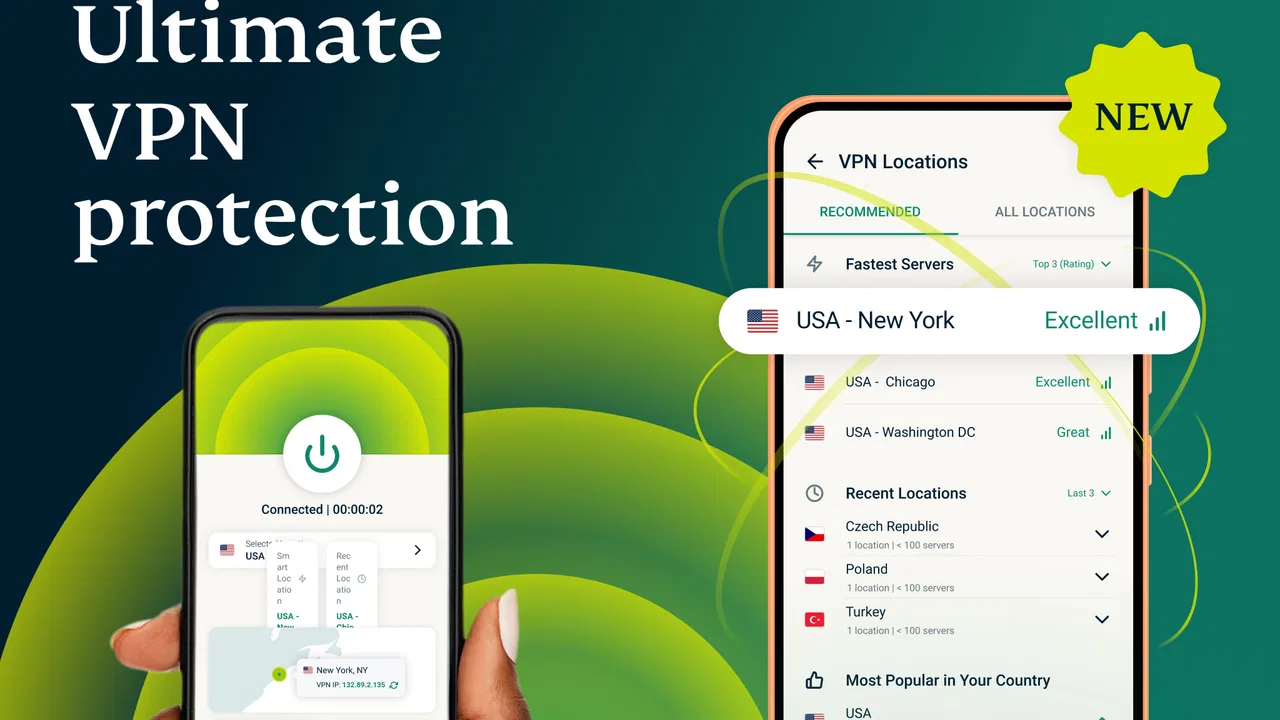
After approval, the next source of confusion is location selection. ExpressVPN presents servers in many countries, and the store summary describes access to servers in 105 countries. That does not mean every country is equally useful for every task. A nearby location is normally the sensible starting point when I care about responsiveness. A distant location can be useful when I specifically need an IP address associated with another region, but the extra distance may make browsing feel less immediate.
I also avoid assuming that changing the VPN location automatically changes every part of my online identity. It changes the public IP address seen by many services, but websites can still use accounts, browser storage, device settings, or their own regional rules. If a site continues showing the same language or content, that does not automatically mean the VPN failed. It may simply be using another signal.
The most useful early habit is to separate “the VPN is disconnected” from “the destination does not accept this connection.” I check the app’s visible connection state first, then test a couple of unrelated websites. If ordinary pages work but one particular service does not, I treat that as a service-specific issue rather than repeatedly reinstalling the app.
Another sticking point is expecting a VPN to improve every connection. It is designed to create a private route and change the apparent IP address, not to guarantee higher speed. A nearby server may feel perfectly comfortable for reading, messaging, and general browsing, while a faraway server or a busy network may add noticeable delay. I would not use a single slow download as proof that the application is defective.
The app’s popularity gives some useful context. It has passed 50 million installs and holds a 4.8 average from around 453 thousand ratings, with roughly 31 thousand written reviews. Those figures suggest that many people find the basic experience approachable, but they do not remove the need to check the local network, the destination service, and the phone itself when something goes wrong.
What I check before blaming the connection
My setup routine is deliberately boring. I install the app from a trusted store, open it, review the system connection request, and start with a nearby server. I then open a normal website before trying a region-sensitive service. This gives me a baseline. If the first basic page loads, I know the initial connection is at least functioning well enough for ordinary traffic.
I also make sure the phone is not switching between Wi-Fi and mobile data during the first test. Moving between networks can interrupt an otherwise healthy VPN session, especially when I leave a home router or walk away from a public hotspot. If the connection changes at the same moment I enter a lift, leave a building, or disable Wi-Fi, I consider the network transition before changing app settings.
Battery-saving behavior is another practical check. Android manufacturers sometimes restrict background activity aggressively, and that can affect apps that need to maintain a connection while I move between other applications. The exact menus differ by phone, so I look for the device’s battery optimization or background activity controls rather than following a universal path that may not match my handset.
I keep the app and Android system reasonably current, too. ExpressVPN’s listed minimum is Android 7.0, but compatibility is not the same thing as a smooth experience on every older phone. On an aging device, limited memory, an overloaded system, or an old Wi-Fi chip can create symptoms that look like VPN trouble. Restarting the phone and router is a sensible low-effort test before making more complicated changes.
When I choose a server, I start close to my actual location unless I have a clear reason not to. I do not jump between countries simply because one page is slow. First I disconnect and reconnect to the same general area; then I try another nearby option. Only after that would I test a more distant country. This order helps me identify whether the problem is the selected route rather than the app as a whole.
There is also a privacy trade-off in convenience. A VPN can protect the traffic path between the device and the VPN service, but I still need to use secure accounts, sensible passwords, and caution on suspicious websites. I would not describe it as a replacement for basic security habits. It is one layer in the connection, not a magic shield against phishing, compromised accounts, or unsafe downloads.
Recovering a workflow without starting over
When a connection stops behaving normally, I prefer a controlled recovery sequence. I disconnect inside the app, wait briefly, and reconnect to a nearby location. If that does not help, I close the app, confirm that Android no longer shows an active VPN connection, and open it again. This is more useful than repeatedly tapping the same button while several half-finished connection attempts are competing in the background.
If browsing works but one app does not, I test that app with the VPN disconnected and then reconnect. The comparison matters. Some services react to an unfamiliar IP address, require a fresh sign-in, or maintain an old session from before the location changed. In that situation, restarting the affected app may be enough. I avoid clearing all phone data as a first response because it can erase useful local settings without addressing the real cause.
For a website that displays stale regional information, I try a private browser window or restart the browser after changing location. This is not because the VPN is necessarily broken; browsers can retain cookies and sessions that continue to influence what a site shows. If the site is tied to my account, signing out and back in may produce a clearer test, although I would only do that when I have the credentials available.
Public Wi-Fi deserves its own workflow. Some hotels, cafés, airports, and schools require me to accept a sign-in page before normal internet access is available. If the VPN connects before that page appears, the network may not know how to redirect me. I disconnect, open the network’s sign-in page in a browser, complete the local login, and then reconnect the VPN. This small ordering change often explains a connection that seems stuck on public networks.
Calls, games, and live video are more sensitive to delay than reading a page. For those activities, I choose a nearby server and avoid changing locations during the session. If the experience is still poor, I compare it with the VPN off for a short, safe test. A stable connection without the VPN but a poor one with it points toward route or latency friction; poor performance in both cases points elsewhere.
One less obvious tip is to change only one variable at a time. If I switch country, network, browser, and device settings together, I lose the ability to identify what helped. I record the simple sequence in my head: same Wi-Fi, nearby location, ordinary website; then one change. That approach is especially helpful for people who use the app while traveling and may otherwise mistake hotel network restrictions for a server problem.
When the app is not the real cause
A VPN can expose weaknesses that were already present. A router with unstable service, a congested mobile network, or a DNS-related issue may become more noticeable when traffic takes a different route. If every app struggles with the VPN off, I focus on the internet connection. If only one destination fails, I look at that destination’s login, regional behavior, or temporary outage before judging ExpressVPN.
Some work and school networks deliberately restrict VPN traffic. In those environments, the connection may be blocked or limited by the network administrator. I would not try to bypass rules that apply to a managed network. The practical answer is to ask the administrator what is allowed or use the approved connection method. A VPN app cannot guarantee access where the underlying network intentionally prevents it.
Likewise, changing an IP address does not guarantee access to a particular catalog, bank feature, or online game. Services can make their own decisions about location, accounts, fraud checks, and unusual sign-in patterns. If a bank asks for an additional verification step after I connect, I treat that as a normal security response rather than evidence that the VPN has damaged the account.
There is a performance cost to privacy routing, even when it is small. Encryption and the extra network hop can affect battery, responsiveness, or throughput depending on the phone and connection. I would keep the VPN active for sensitive browsing and untrusted Wi-Fi, but I might disconnect for a low-risk local task if latency is more important and I understand the trade-off. That is a practical choice, not a criticism of this particular app.
ExpressVPN is also not the right choice for someone who wants a completely free, permanently unrestricted service. The app itself is free to install, but the listed in-app purchases show that continued access to its full service involves paid options. I would read the purchase screen carefully and decide whether the subscription model fits my budget before relying on it for travel or work. People seeking a no-cost solution may prefer a different tool, while people who value a polished, established interface may find the cost easier to justify.
The same applies to advanced networking users. If I want detailed control over routing rules, custom low-level configurations, or a highly technical dashboard, a simpler app may feel limiting. ExpressVPN’s appeal is that it keeps the main action understandable. That is excellent for a first VPN, but not necessarily ideal for someone who wants to tune every part of the connection manually.
Who will get the most from it
I think the app suits travelers, remote workers, students using shared networks, and ordinary phone users who want a clear way to establish a private connection without learning networking terminology. It is also useful for anyone who frequently moves between home Wi-Fi, mobile data, and public hotspots and wants one familiar control instead of a different setup for every network.
A realistic example is working from a café. I would join the café Wi-Fi, complete its browser sign-in first, open ExpressVPN, choose a nearby location, and then access work services. If a work page fails, I would compare it with a normal website and check whether the employer’s network rules allow VPN use. That sequence is safer and more informative than assuming every failure comes from the app.
It can also help when I want a different apparent IP address for general browsing, but I keep my expectations realistic. I would not assume that every service will recognize the new region, and I would not use the location feature as a substitute for checking a website’s own terms. The value is in having a simple, repeatable connection workflow rather than a guarantee that every regional restriction disappears.
The broad adoption and strong average rating make it easier for me to recommend as a starting point, but I still would not recommend it blindly. Someone with a very limited budget, strict workplace restrictions, or a need for specialized routing controls should compare alternatives first. A free-to-install app can still become an ongoing expense, and a polished interface cannot overcome an incompatible network policy.
Compared with the usual alternatives, its main advantage is approachability. Many VPN tools either bury the important action beneath technical controls or make aggressive promises that encourage unrealistic expectations. ExpressVPN keeps the central workflow familiar: open it, approve the connection, choose a location when needed, and check the result. The trade-off is that users who want extensive customization may find the experience less satisfying than a more technical VPN client.
I also appreciate that troubleshooting can remain simple if I follow a disciplined order. Nearby server first, public Wi-Fi login before VPN connection, one change at a time, and a comparison with the VPN disconnected are more valuable than randomly switching locations. Those habits make the app easier to live with and prevent many false diagnoses.
After using it as a practical tool rather than a promise of perfect internet, I see ExpressVPN: VPN Fast & Secure as a good fit for people who want a familiar, low-friction way to change their IP address and use a private connection across a wide choice of countries. The 50M+ install milestone and 4.8 average support the impression that it has reached a large audience, while the paid purchase range is an important part of the decision.
My final recommendation is conditional but positive: try it if ease of use matters more to you than deep configuration, and begin with nearby servers and ordinary browsing rather than a demanding regional service. Be ready to troubleshoot the network around it, especially on public Wi-Fi, and remember that a destination may reject or reinterpret a VPN connection for its own reasons. Its real strength is a repeatable everyday workflow, not a promise that every connection problem disappears.
FAQs for ExpressVPN: VPN Fast & Secure
01What platforms is ExpressVPN compatible with?
ExpressVPN is compatible with a wide range of platforms, including Windows, macOS, Android, iOS, Linux, and routers. Additionally, it can be set up on smart TVs, gaming consoles, and browser extensions for Chrome and Firefox. This wide compatibility ensures seamless protection across all your devices.
02How does ExpressVPN ensure my online privacy?
ExpressVPN employs advanced encryption protocols, such as AES-256, to secure your internet connection. It also features a strict no-logs policy, which means your online activities are not recorded or stored. Additional features like a kill switch and DNS leak protection further reinforce your privacy and security.
03Does ExpressVPN offer a free trial or money-back guarantee?
ExpressVPN does not offer a free trial, but it provides a 30-day money-back guarantee. This allows you to test the service risk-free and determine if it meets your needs. If you are unsatisfied within the first 30 days, you can request a full refund, making it a risk-free investment.
04Can ExpressVPN improve my connection speed?
ExpressVPN is designed to minimize speed loss and often enhances connection stability by preventing bandwidth throttling by ISPs. With high-speed servers in 94 countries, it offers fast and reliable connections, making it ideal for streaming, gaming, and browsing without interruptions.
05How many devices can I connect to ExpressVPN simultaneously?
With a single ExpressVPN subscription, you can connect up to five devices simultaneously. This allows you to protect multiple devices, such as your smartphone, tablet, laptop, and more, all at once. For additional device connections, you can set up ExpressVPN on a compatible router.
Pros
- Fast and reliable connection speeds.
- Wide range of server locations globally.
- Strong encryption ensures privacy.
- Easy-to-use interface for all users.
- 24/7 customer support available.
Cons
- Limited features on the free version.
- May slow down connection on some servers.
- Subscription can be pricey for some.
- Requires account setup for use.
- Not all servers support P2P sharing.

ExpressVPN: VPN Fast & Secure
Gallery